Photo vault for iPhone
Photo vault app for iPhone: a locked place for private photos
Move photos and videos out of your library into a vault that opens with Face ID or its own passcode. Find them again by what is in them. The app uploads nothing: no account, no server. The vault stays on your iPhone and in your own iPhone backups.

Free to download; using the vault requires a purchase: a yearly subscription with a 3-day free trial, or a one-time lifetime purchase.
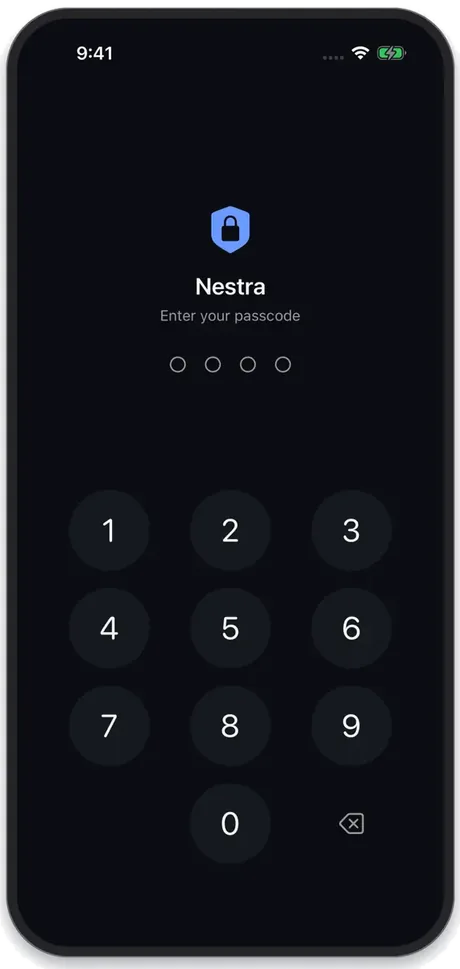
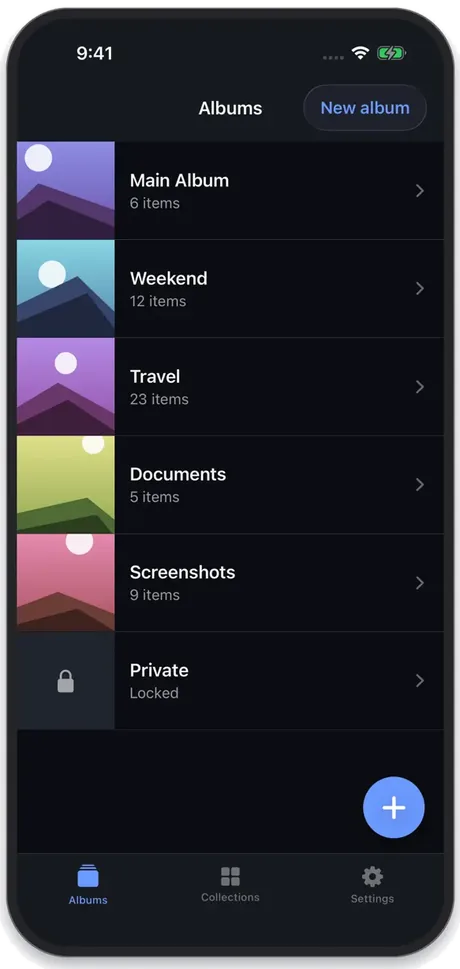
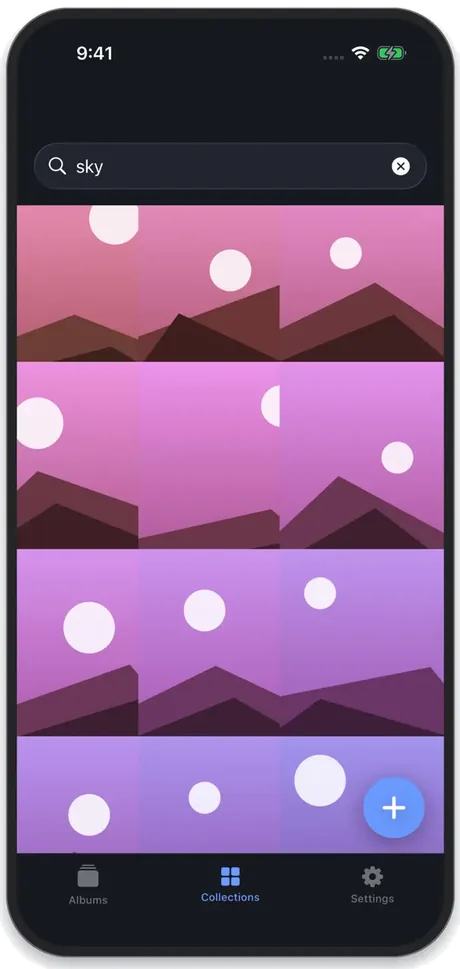
App Store screenshots of the app.
- Opens with Face ID, Touch ID or its own passcode, not with your iPhone passcode
- Kept on your iPhone with iOS Data Protection, never on a server. No account, no tracking.
- iPhone · iOS 17 or later · 16 languages
What it is
What is Nestra?
Nestra is a photo and video vault for iPhone. It keeps the items you choose in the app's own storage on the device, protected by iOS Data Protection, and opens with Face ID, Touch ID or a 4-digit passcode of its own; it can also search the vault by what is in a picture, entirely offline. There is no account and nothing is uploaded; it is free to download, and using the vault requires a yearly subscription (3-day free trial) or a one-time lifetime purchase.
How it works
How it works
Unlock with Face ID
The vault opens with Face ID, Touch ID or the app's own passcode.
Keep albums private
Add photos and videos to albums kept on your iPhone, not on a server.
Find it by what is in it
Search for what a photo shows or the words written on it.
What you can do
What you can do with Nestra
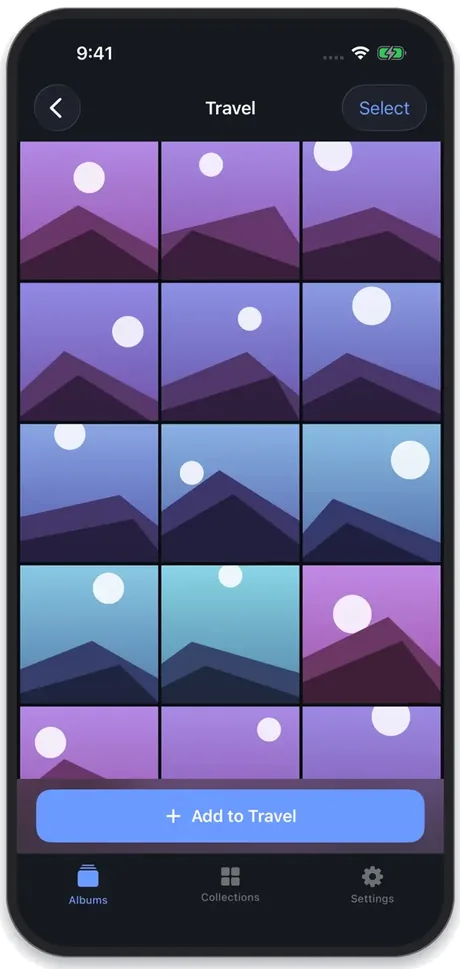
Albums behind their own lock
Create albums, rename them and move items between them. The whole vault opens with Face ID, Touch ID or the app's own passcode; its lock screen does not accept your iPhone passcode.
Search what is inside your photos
Type “receipt”, “beach” or a word printed on a screenshot. Apple's Vision framework reads each photo on your iPhone when you add it; nothing is sent anywhere to do it.
Move photos out of your library
Import photos and videos with Apple's photo picker, then let the app delete the originals from Photos (iOS asks you to confirm) and remind you to empty Recently Deleted.
A passcode that is not your phone's
A 4-digit passcode of its own as the fallback to Face ID. After five wrong tries the app locks for 30 seconds, and the wait grows with further mistakes, up to an hour.
Why choose Nestra?
Built for the moment your phone is in someone else's hands: showing a picture, passing it to a child, sharing a screen.
Nothing sent to a server
No account, no server, no analytics and no third-party code. The App Store privacy label reads “Data Not Collected”. Your own iCloud or computer backup includes the vault.
Locks itself when you leave
Auto-lock immediately or after 30 seconds, 1 or 5 minutes, and a cover hides the vault in the app switcher.
A second password for one album
Give a single album its own password for the moments the vault is already open. Its items stay out of search and collections until you open it.
A quieter app icon
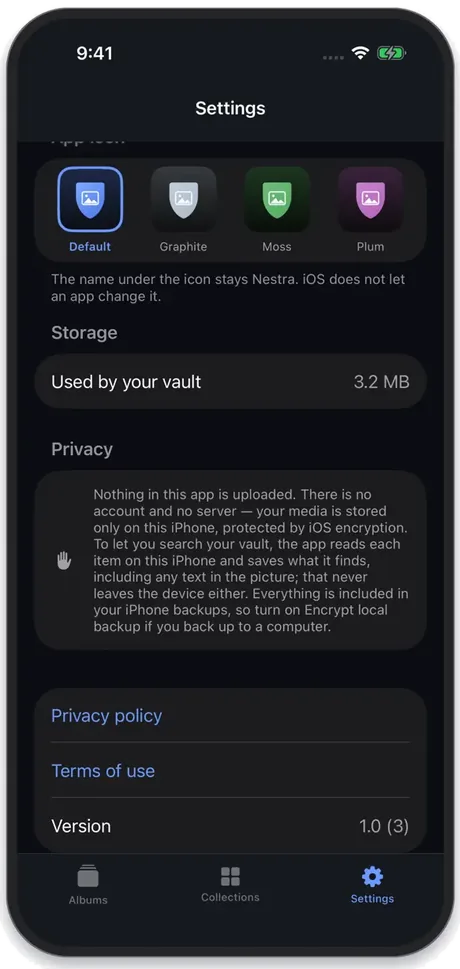
Choose a graphite, moss, plum or amber icon. The name under it still reads Nestra; iOS does not let apps change that.
See it in action
The facts
Nestra at a glance
| Name | Nestra (App Store: Hide Photos & Videos: Nestra; the name differs in some countries) |
|---|---|
| Platform | iPhone, iOS 17 or later |
| Price | Free to download. Using the vault requires a purchase: a yearly subscription with a 3-day free trial, or a one-time lifetime purchase. Prices vary by country and are shown in the App Store. |
| Where files are stored | In the app's own storage on the iPhone. Photos and videos use iOS Data Protection (Complete class): when the iPhone has a passcode, they become unreadable shortly after it locks and stay that way until it is unlocked. The app adds no encryption layer of its own. |
| How it unlocks | Face ID, Touch ID or the app's own 4-digit passcode. The lock screen does not accept the iPhone's passcode, but anyone who knows that passcode can add their own face or fingerprint to the iPhone, which the vault would then accept. |
| Data and privacy | No account, no server, no analytics, nothing uploaded. App Store privacy label: Data Not Collected. |
| Backups | The vault is included in your own iCloud or computer backup. There is no sync between devices. |
| Forgotten passcode | There is no reset email, master key or developer reset. If Face ID or Touch ID is off, the app cannot unlock the vault. |
| Languages | 16 languages, chosen in the app or following your iPhone's language |
| Best for | Keeping private photos and videos out of your main library on an iPhone that other people sometimes hold |
Quick answers
Frequently asked questions
Is Nestra free?
It is free to download, but there is no free tier: using the vault requires a purchase. You can choose a yearly subscription, which starts with a 3-day free trial if you are eligible, or a one-time lifetime purchase with nothing to renew. Prices vary by country and are shown in the App Store before you buy. If a subscription ends, you can still view and export what is already in the vault; only adding new items stops.
How are my photos protected? Are they encrypted?
Photos and videos are stored in the app's own storage on your iPhone with iOS Data Protection at the Complete level. iOS encrypts those files with keys tied to your device passcode, and from shortly after the iPhone locks they cannot be read until it is unlocked again; this needs a passcode on the iPhone itself. Nestra does not add a separate encryption layer of its own. The vault itself opens with Face ID, Touch ID or the app's 4-digit passcode. A computer backup made without Encrypt local backup holds these files without that protection.
Are my photos uploaded anywhere?
No. Nestra has no account, no server and no analytics, and it contains no third-party code. The app itself makes no network requests; only the App Store purchase check, handled by iOS, and links you choose to open go online. Search works by reading photos on your iPhone with Apple's Vision framework; the words it finds stay on the device.
What happens if I forget my passcode?
It cannot be reset. The passcode is stored only as a salted hash in the iPhone's Keychain, and there is no reset email, master key or way for the developer to reset it. If Face ID or Touch ID is turned on for the vault, you can still open it that way; if it is off, the app cannot unlock the vault. Choose a passcode you will remember and keep biometric unlock on.
Can someone who knows my iPhone passcode open the vault?
Not at the vault's lock screen: it accepts only Face ID, Touch ID or its own 4-digit passcode. Your iPhone passcode still matters. Anyone who knows it can add their own face or fingerprint in Settings, which the vault would then accept, or back up the iPhone to a computer; an unencrypted backup contains the vault's photos. Anyone who knows the vault passcode can open it, and someone holding the phone while the vault is open can see what is on screen. Keep your iPhone passcode private.
Does it remove the photos from my Photos library?
Importing copies the items into the vault. Afterwards the app offers to delete the originals from your library; iOS shows its own confirmation first. Deleted photos then stay in Recently Deleted (Photos > Collections > Utilities) for 30 days, so the app reminds you to empty it too. If iCloud Photos is on, the deletion also applies to iCloud and your other devices. Copies in shared albums, chats or other apps are not affected.
What happens if I delete the app or get a new iPhone?
Deleting the app permanently deletes the vault on that iPhone, so export anything you want to keep first. The vault is included in your iPhone backups, to iCloud or to a computer, so restoring a backup to a new iPhone brings it back. For computer backups, turn on Encrypt local backup; an unencrypted backup does not restore the passcode, so the app asks you to set a new one and keeps your media.
Can it hide the app itself or look like a calculator?
No. The app is openly a vault named Nestra. You can switch to a graphite, moss, plum or amber icon so it stands out less, but iOS does not let apps change the name under the icon. iOS 18 and later can also lock or hide apps with Face ID from the Home Screen.
Is there an Android or iPad version?
No. Nestra is for iPhone only, on iOS 17 or later.
Which languages does it support?
English, Arabic, Chinese (Traditional), Dutch, French, German, Hebrew, Italian, Japanese, Korean, Polish, Portuguese (Brazil), Spanish, Swedish, Thai and Turkish. You can pick the language in the app's settings.

Give private photos a place of their own
Download Nestra for iPhone. Free to download; using the vault requires a yearly subscription with a 3-day free trial or a one-time lifetime purchase.